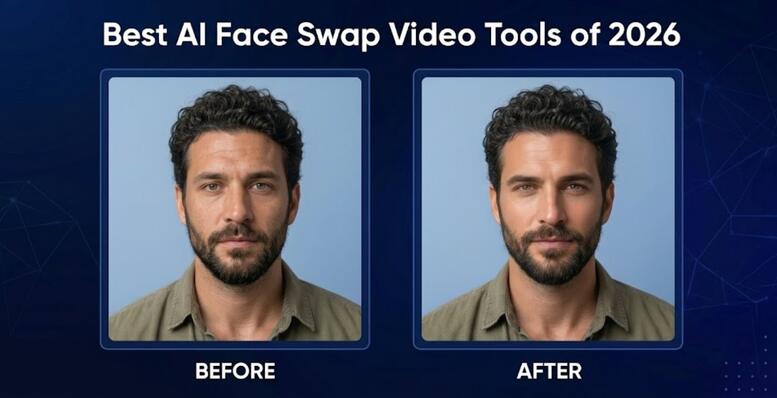

A few years ago, swapping a face into a video meant hours of manual editing, frame-by-frame masking, and a result that still looked slightly off. That’s changed fast. AI has closed the gap between “good enough” and genuinely convincing, and a handful of AI face swap video platforms now make the entire process possible in minutes, not hours.
I spent time testing the major options this year to see which ones actually hold up under real use — not just in demo clips. Here’s what stood out.
Quick Comparison glance table
| Tool | Best For | Free Plan | Starting Price |
| Magic Hour | All-in-one creators | Yes, no signup | $15/mo ($10/mo annually) |
| Runway | Cinematic, general video | Limited | Higher tier |
| DeepSwap | Dedicated face swapping | Yes | Free/paid tiers |
| Reface | Quick mobile swaps | Yes | Subscription |
#1 Magic Hour
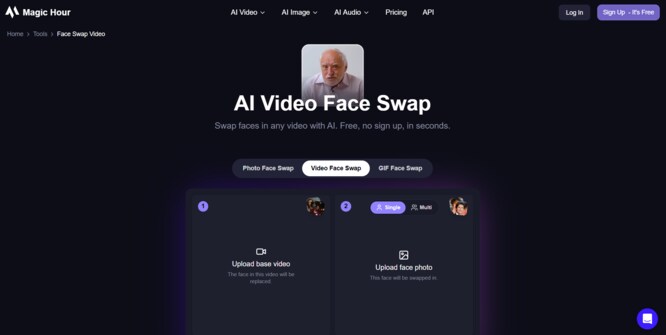
Magic Hour folds face swap, lip sync, and talking photos into one workspace.
Pros:
- No signup needed to try it
- Credits carry over, never expire
- Sora 2 and other top models built in
- One-click pipelines for generation, upscaling, and export
- Parallel generations, no queue
Cons:
- Heavier projects use more credits
- Free tier output is watermarked
Evaluation: Swaps held up even on motion-heavy clips with shifting light, a common weak spot for other tools.
Pricing: Free tier; Creator $15/month ($10/month annually); Pro $39/month.
#2 Runway
Runway leans toward general video generation, but its face swap holds up well for cinematic projects.
Pros: Strong output quality; precise motion and camera control.
Cons: Steeper learning curve; pricier than Magic Hour.
Price: Higher-tier subscription, no free plan.
#3 DeepSwap
A dedicated face-swap tool that keeps things simple, with no extra features competing for attention.
Pros: Easy to pick up; focused entirely on face swapping.
Cons: Lacks extras beyond the core feature.
Price: Free and paid tiers available.
#4 Reface
Built for speed on mobile, making it a solid pick for casual, quick edits.
Pros: Fast renders; mobile-friendly.
Cons: Limited editing depth; not ideal for longer projects.
Price: Weekly or monthly subscription.
How We Tested
Every pick on this list ran through the same test: identical source clips, identical prompts, no exceptions. We weighed output quality, processing speed, ease of use, and pricing against what each platform actually delivers. Motion and inconsistent lighting turned out to be the real test, since that’s where weaker tools tend to fall apart fastest.
Final Takeaway
If you want one platform that handles face swapping well without nickel-and-diming you on basic features, Magic Hour is the easiest recommendation here. The others suit specific use cases, but none matched the overall value. Curious how your own footage holds up? Try the magichour.ai free plan and find out.
FAQs
Is Magic Hour free to use?
Yes — a free tier is available, and the face swap tool can be tested without setting up an account.
Do Magic Hour credits expire?
No. Unused credits carry over instead of resetting every month.
Can I access Sora 2 through Magic Hour?
Yes. Sora 2 and other top-tier models are available directly inside the platform, with no extra subscription needed.
Mehr Lesen: real madrid vs bayern aufstellung